Welcome to the Metrix documentation! 👋
Welcome to the comprehensive documentation for Metrix — the all-in-one platform built to help you understand your users, measure what matters, and drive growth. Whether you’re launching your first app, optimizing a mature product, or scaling across platforms, you’ll find everything you need here.
Metrix empowers you with three core capabilities:
- 📊 Attribution: Understand exactly where your users come from, which marketing campaigns drive real value, and optimize your marketing spend with precision.
- 🎯 Automation: Engage users at the right moment with personalized interactions that increase conversion, retention, and lifetime value.
- 📈 Analytics: Gain deep insights into user behavior, track meaningful events, and make data-driven decisions that matter.
Getting Started with Metrix
Choose Your Platform
The way you use Metrix depends on your platform and goals. Start with the path that matches your needs:
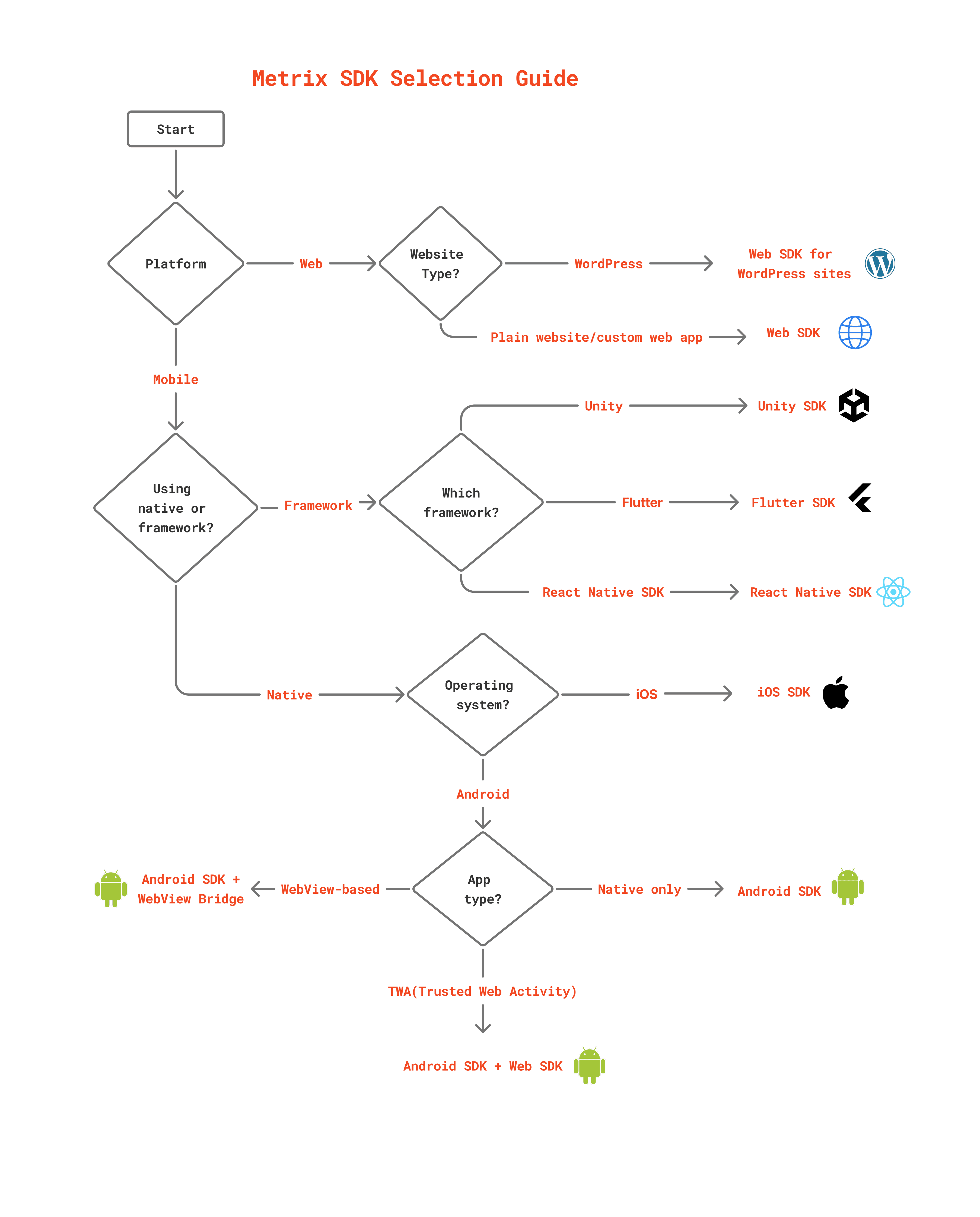 Mobile Apps
- Android SDK Documentation — Native integration for Android devices
- React Native Guide — Cross-platform with React Native
Web & Browser
- Web SDK Documentation — Full-featured JavaScript SDK for web applications
- TWA Setup — Trusted Web Activity for Android
Server-to-Server
- REST API Documentation — Direct server integration for backend event tracking
How to use this documentation (a quick roadmap)
To reach your goal faster and get the best experience with Metrix, this is the path we recommend:
-
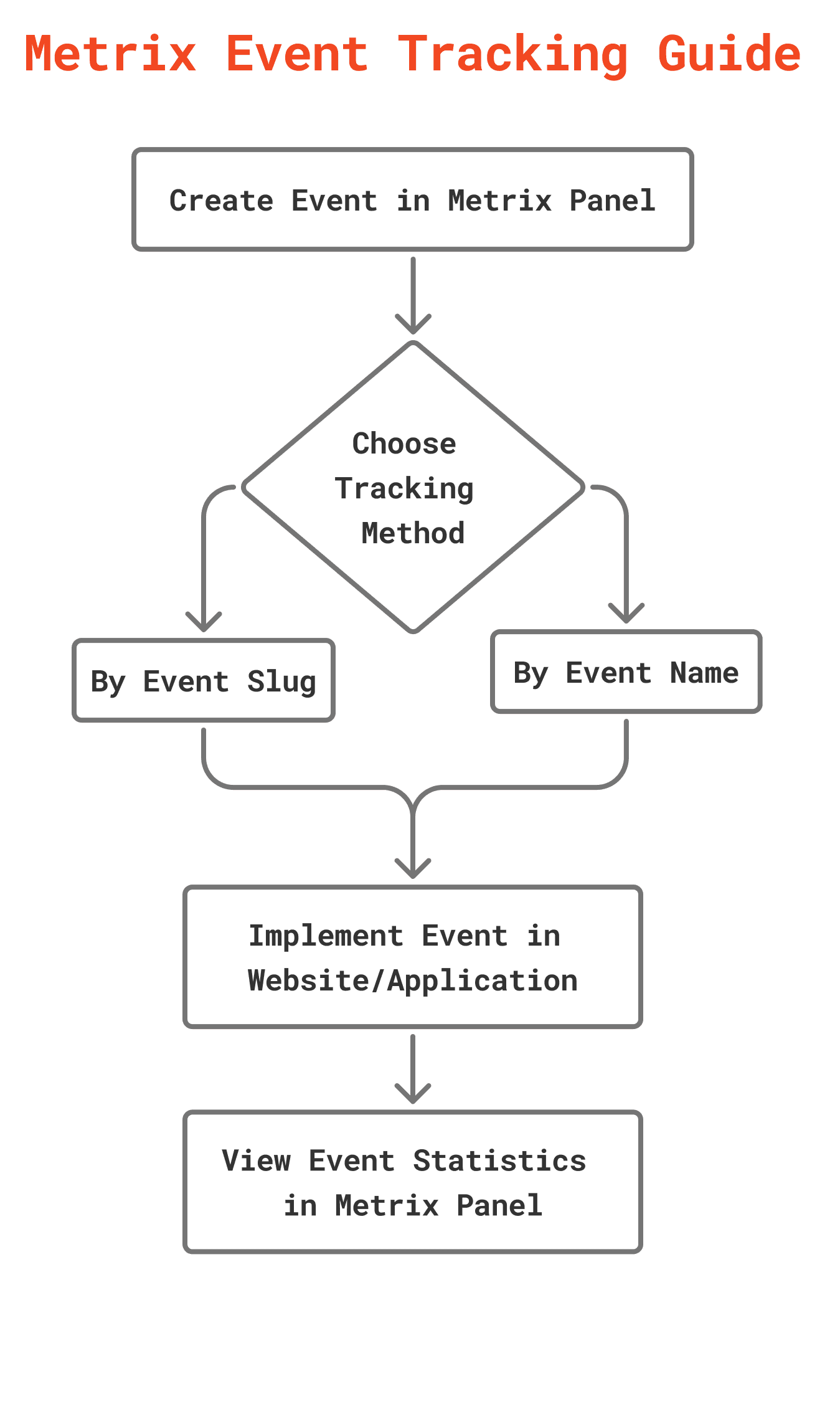
🚀 Step one: learn the core concepts. Before getting into technical details, we recommend getting familiar with the key concepts of Metrix. This section helps you understand the “why” behind each tool so you can implement Metrix more intelligently.
-
🛠️ Step two: start implementing. To set up Metrix in your mobile app, your website, or directly from your server, head to the technical documentation. It provides a comprehensive guide for getting started. For a quick, step-by-step initial implementation, you can also visit the quick start section.
-
💡 Step three: explore the features. Once you are up and running, take a look at the Metrix features. From managing user profiles to precise event tracking, you will find everything here.
Need help?
We are always here to help! If you have a question you could not find an answer to in the documentation, or you run into a problem, be sure to check the frequently asked questions (FAQ) section.
If that still does not solve your problem, the Metrix support team is ready. You can reach us through the Metrix contact/support page.